
What happens when you restrict someone on Instagram: A complete guide to privacy control

Restrict on Instagram is a privacy feature that allows you to limit someone’s interactions with your account without them knowing. When you restrict someone on Instagram, their comments become hidden from other users, their direct messages move to a separate folder without notifications, and they lose visibility of your activity status. This feature serves as a middle-ground solution for managing uncomfortable social media dynamics without the permanence of blocking someone entirely.
If you’ve been dealing with persistent spam comments, awkward workplace followers, or someone who makes you uncomfortable but you’re not ready to completely cut ties with, understanding how the restrict function works on Instagram can give you back control of your digital space. Unlike blocking, which severs the connection completely and notifies the person indirectly through their inability to find your profile, restricting operates in the shadows. The restricted person continues interacting with your content as if nothing has changed, while you gain breathing room and control over what they see and how you engage.
Understanding Instagram’s restrict feature
Instagram introduced the restrict feature in 2019 as a response to growing concerns about online harassment and bullying. The platform recognized that many users, particularly younger ones, felt trapped between enduring unwanted attention and taking the drastic step of blocking someone. The restrict option fills that gap by creating a one-way barrier that protects you while maintaining the appearance of normalcy for the other person.
What makes restricting different from blocking on Instagram is its discretion and reversibility. When you block someone, they immediately notice they can’t see your profile anymore. This can escalate conflicts, create workplace tension, or damage relationships you’d prefer to keep at arm’s length rather than end completely. Restricting, on the other hand, keeps everything looking normal on their end while giving you control behind the scenes.
Many users mistakenly believe that restricting someone prevents them from seeing your posts, stories, or profile entirely. This is perhaps the most important misconception to clear up right away: restrict on Instagram does not hide your content from the restricted person. They can still view everything you post publicly, browse through your photos, watch your stories, and see your likes on other posts. What restrict actually controls is communication and engagement, not visibility.
The 6 real effects of restricting someone on Instagram
1. Hidden comments that only they can see
When you restrict someone’s Instagram account, the most noticeable change happens to their comments on your posts. Any comment they leave will be invisible to everyone else viewing that post. The restricted person will still see their own comment displayed normally, creating the illusion that nothing has changed. Meanwhile, you’ll receive a notification that lets you view the hidden comment and decide whether to approve it, delete it, or leave it hidden.
This feature proves particularly useful when dealing with someone who leaves inappropriate or embarrassing comments on your photos. Instead of having a public back-and-forth or drawing attention to the situation by deleting comments immediately, you can simply let their words exist in a private bubble visible only to them and you. For instance, if a colleague makes unprofessional comments on your personal posts, they’ll never know their words aren’t reaching your broader audience.
2. Messages silently move to “message requests”
Direct messages from a restricted account undergo a significant change in how they’re delivered to you. Instead of appearing in your primary inbox with a notification, messages from restricted accounts on Instagram are automatically sorted into your Message Requests folder. You won’t receive any push notifications when they message you, and you can read these messages without triggering the “Seen” indicator that would normally let them know you’ve viewed their text.
This creates a pressure-free environment where you can choose if and when to respond. The restricted person sees the conversation on their end as a normal DM thread. They have no way of knowing their messages are being filtered or that you’re reading them without the “Seen” status appearing. This proves invaluable when dealing with someone who expects immediate responses or becomes aggressive when left on read.
3. Their activity status becomes invisible
Once you’ve implemented the Instagram restrict feature, the person you’ve restricted loses the ability to see when you’re active on the platform. Your green “Active now” status dot will never appear next to your name in their DMs, and they won’t see the timestamp showing when you were last online. Additionally, they won’t see typing indicators when you’re composing a message to someone else in a conversation they can view.
This removes the social pressure of being “caught” online when you haven’t responded to their messages. Without activity status, they can’t question why you’re active on Instagram but not replying to them. It creates plausible deniability and reduces the likelihood of confrontational messages asking why you’re ignoring them.
4. You stop receiving notifications from them
When you restrict on Instagram, you effectively silence all notifications from that account. You won’t receive alerts when they like your posts, comment on your photos, tag you in stories, or send you direct messages. This mental health benefit cannot be overstated for people dealing with obsessive followers, ex-partners, or anyone whose constant engagement has become overwhelming.
The key advantage here is that you’re not completely cutting yourself off from their activity. If you want to see what they’ve posted or how they’ve interacted with your content, you can manually check by visiting their profile or reviewing your post interactions. But you’re no longer at the mercy of constant interruptions and alerts that trigger anxiety or frustration.
5. Their profile access remains unchanged
Here’s where many people discover the limits of the restrict feature. A restricted person can still view all your public posts and Reels without any indication that you’ve restricted them. If your account is public, they can see your stories just like any other follower. They can browse through your entire profile grid, view your tagged photos, and see what posts you’ve liked if those are public.
Restricting someone on Instagram controls the communication channel and engagement notifications, not content visibility. Think of it as installing a one-way mirror on your interactions rather than building a wall. This is why restrict works best for managing how someone engages with you rather than preventing them from seeing what you post. If complete privacy from someone is your goal, you’ll need to combine restrict with other privacy settings like making your account private or using the Close Friends feature for stories.
6. The person remains completely unaware
Perhaps the most socially useful aspect of the restrict feature is its complete invisibility to the restricted person. Instagram sends no notification when you restrict someone. They see no badge, no message, and no change in how your profile appears to them. From their perspective, they’re interacting with your account exactly as they always have.
This proves especially valuable in delicate social situations. When you restrict a coworker, they won’t create workplace drama based on feeling snubbed. When you restrict a family member, you avoid holiday dinner confrontations. When you restrict an acquaintance from a shared social circle, you prevent gossip and tension within the group. The downside, of course, is that this lack of transparency can create confusion. If they’re genuinely trying to reach you about something important, they may feel hurt or confused by what appears to be you ignoring them.
Restrict vs. block vs. mute: Understanding your options
Instagram provides three main privacy controls, each serving different purposes in your social media management strategy. Muting someone on Instagram hides their posts and stories from your feed without them knowing, but doesn’t affect their ability to see your content or send you messages. It’s purely about curating what you see, not about managing their access to you.
Blocking someone on Instagram is the nuclear option. It removes them as a follower, prevents them from finding your profile in search, stops them from tagging you or messaging you, and removes all previous comments they’ve made. They’ll notice they’ve been blocked when they can no longer see your profile. Blocking is appropriate for harassment, safety concerns, or when you want to permanently sever the digital connection.
The restrict feature sits between these two options. It’s less aggressive than blocking but more protective than muting. You’re not hiding from their content, you’re managing how they interact with yours. For situations where blocking feels too extreme but doing nothing feels insufficient, restrict provides the perfect middle ground.
Step-by-step: How to restrict someone on Instagram
Method 1: Restrict from their profile
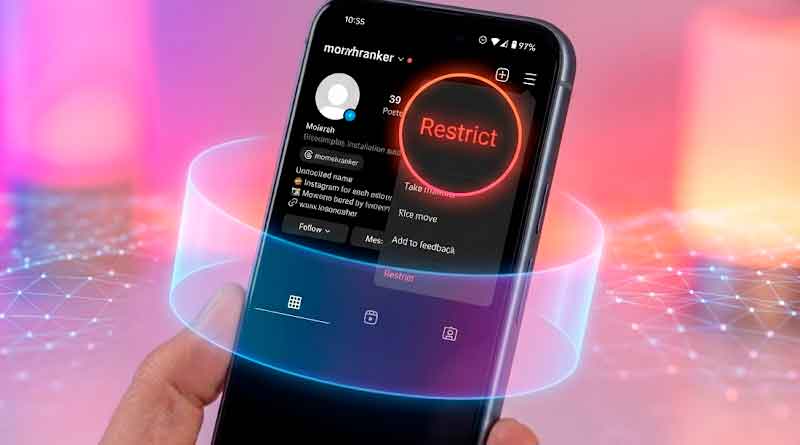
The most straightforward way to restrict an account on Instagram is through their profile page. Navigate to the profile of the person you want to restrict, then tap the three-dot menu icon in the top right corner. From the menu that appears, select “Restrict” and confirm your choice when prompted. The process takes less than five seconds and happens instantly without any notification being sent.
Method 2: Restrict from a comment
Instagram also allows you to restrict someone directly from a problematic comment they’ve left on your post. When you see a comment that crosses a line, swipe left on it (iOS) or tap and hold (Android) to reveal a menu of options. Select “Restrict” from this menu, and Instagram will immediately restrict that account while simultaneously hiding the comment from other users. This method proves particularly efficient when you’re dealing with spam or harassment in real-time.
How to unrestrict someone
If circumstances change or you decide the restriction is no longer necessary, reversing the process is just as simple. Visit the restricted person’s profile, tap the three-dot menu, and select “Unrestrict” from the options. Instagram will immediately restore their normal follower status, though they’ll never know they were restricted in the first place. All their previously hidden comments will become visible again, and their messages will return to your primary inbox.
Additional privacy controls to combine with restrict
While the Instagram restrict feature provides valuable protection, it works best as part of a comprehensive privacy strategy. If you want to prevent restricted people from seeing certain content, switch your account to private mode. This requires them to remain approved followers but gives you the ability to remove them later without the confrontation of blocking.
The Close Friends feature allows you to share stories with a select group of trusted followers while keeping them hidden from everyone else, including restricted accounts. You can also enable comment filtering to automatically hide comments containing specific words or phrases, and turn on manual comment approval so all comments require your permission before appearing publicly. Tag review settings let you approve or reject posts where others try to tag you, giving you control over how you’re associated with other content on the platform.
Common questions about restricting
Can restricted people tag you in posts? Yes, they can still tag you in their posts and stories, but you control whether those tags appear on your profile through your tag review settings. Does restricting affect group chats? No, if you’re both in a group message thread, the restrict feature doesn’t apply, and messages will appear normally. How many people can you restrict? Instagram doesn’t impose a limit on the number of accounts you can restrict. Can you tell if someone has restricted you? There’s no definitive way to know for certain, though consistently ending up in message requests and never seeing activity status might be clues.
The limits of restrict: What it doesn’t do
Understanding what restricting someone on Instagram doesn’t do is just as important as knowing its benefits. It doesn’t hide your content from them if your account is public. It doesn’t prevent them from following you or remove them as an existing follower. It doesn’t delete comments they’ve already made on old posts unless you manually remove them. While you control tag notifications, it doesn’t prevent them from attempting to tag you in posts or stories.
Perhaps most critically, restrict doesn’t address the root cause of why someone’s behavior bothers you. It’s a management tool, not a solution. If someone is genuinely harassing you, making threats, or engaging in behavior that makes you feel unsafe, you should report them to Instagram and consider blocking them entirely rather than relying solely on restrict.
Real-world scenarios: When to use restrict
The restrict feature shines brightest in situations where social dynamics prevent you from taking more direct action. Managing workplace acquaintances who overstep boundaries on your personal account becomes simple when you can limit their engagement without creating office tension. Handling difficult exes who you need to maintain some connection with for logistical reasons becomes manageable when their messages don’t interrupt your day.
Dealing with persistent spam accounts or low-level harassment from people who aren’t quite threatening enough to report benefits from restrict’s silent filtering. Managing extended family members who post embarrassing comments or share information you’d prefer to keep private becomes less stressful when those comments only they can see. Handling former friends you want distance from without burning bridges completely becomes possible through restrict’s invisible barrier.
Final takeaway: Control engagement, know the limits
Restrict on Instagram gives you control over how specific people engage with your content and communicate with you, but it doesn’t make you invisible to them. Think of it as turning down the volume on someone rather than hanging up the phone completely. It works best when combined with other privacy features like private accounts, close friends lists, and careful content sharing strategies.
The feature represents Instagram’s acknowledgment that digital relationships exist on a spectrum, and sometimes you need options beyond the binary choice of full access or complete blocking. By understanding exactly what restrict does and doesn’t do, you can make informed decisions about how to manage your online boundaries. Remember to reassess your privacy settings regularly as your circumstances and comfort levels change, and don’t hesitate to escalate to blocking or reporting if someone’s behavior warrants stronger action.